Set up cash on delivery in five minutes
From install to your first COD order, step by step.
- 1
Install NativeCOD
Install NativeCOD from the Shopify App Store and approve the permissions. You start on the Free plan, with no card needed.
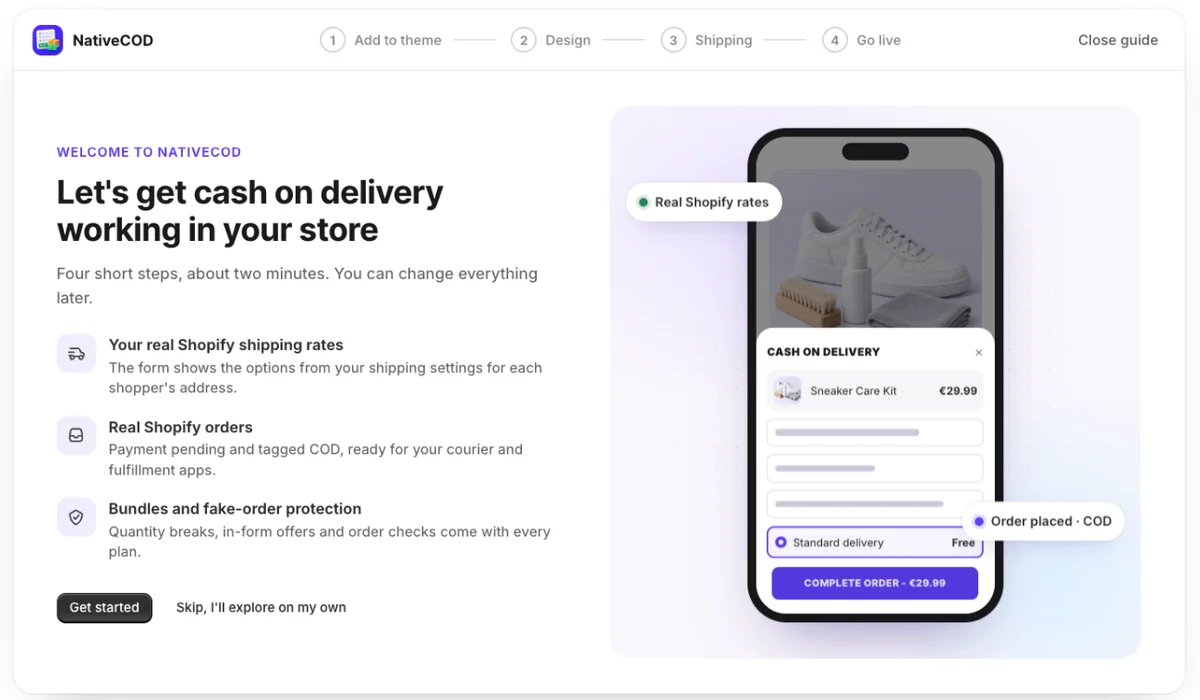
The app opens on a short welcome guide. It takes about two minutes, and you can skip it if you'd rather look around first: the dashboard keeps a setup checklist, and the guide is under Need a hand? › Open the setup guide.
- 2
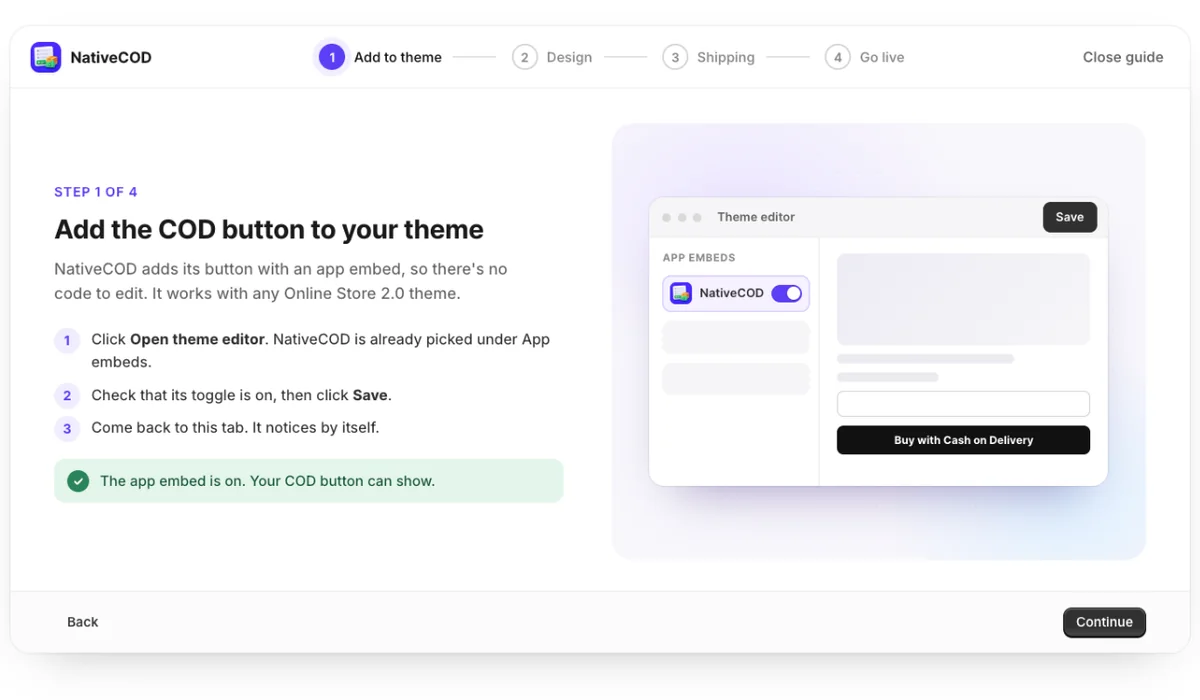
Turn on the app embed
NativeCOD adds its button with a theme app embed, so there's no code to edit. It works with any Online Store 2.0 theme.
- Click Open theme editor. NativeCOD is already selected under App embeds.
- Check that its toggle is on and click Save.
- Come back to the app. The guide notices the change by itself.
- 3
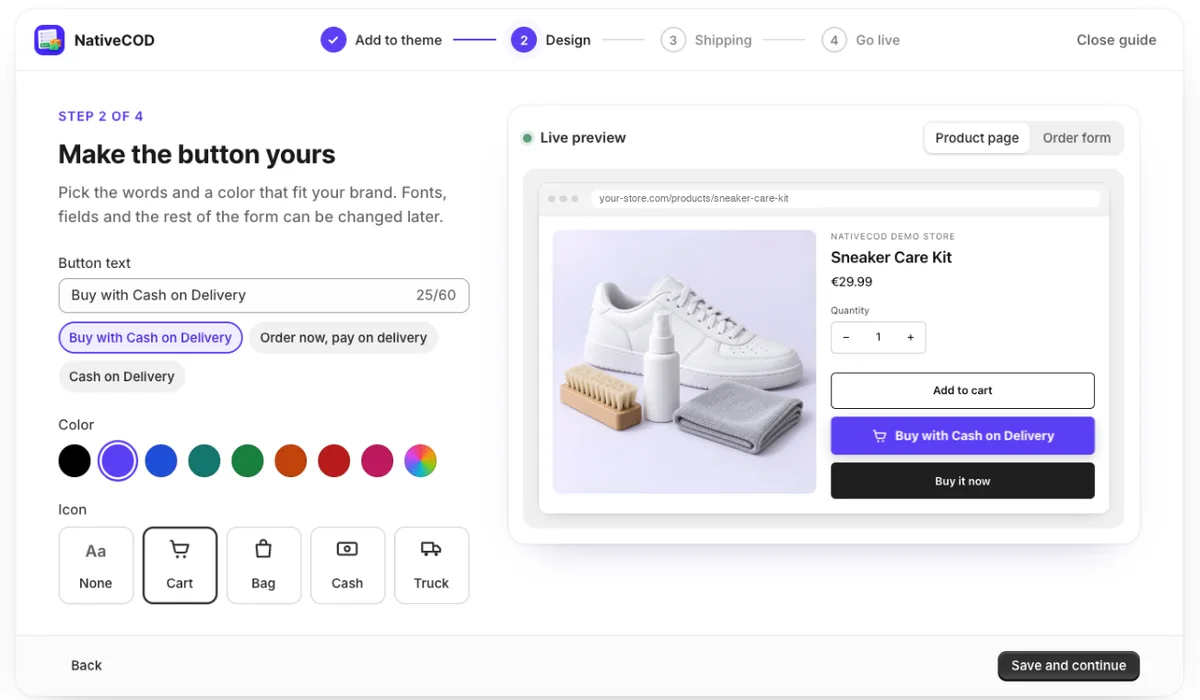
Make the button yours
Pick the button text, a color and an icon. The live preview shows your own product, so you see exactly what shoppers will see.
Later, Form & button lets you change placement, fields, colors and every text in the form, including right-to-left languages.
- 4
Check your shipping rates
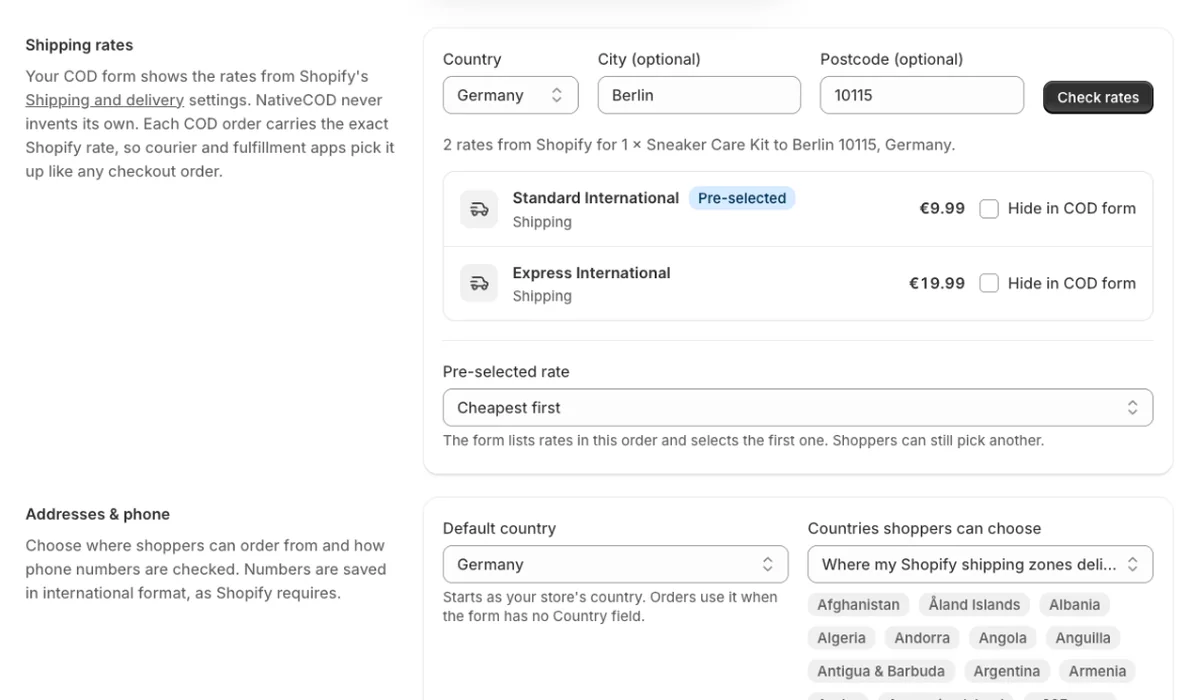
The form shows the rates from your Shopify Settings › Shipping and delivery for each shopper's address, at the same prices as your checkout.
Open Shipping & orders, enter a country, city and postcode and click Check rates. If an address gets no rates, add its country to a shipping zone in Shopify; the form follows within the hour.
- 5
Place a test order
Open a product on your store, tap the COD button, fill in the form and pick a shipping option. Bundles and discounts are priced by Shopify, so the total matches checkout.
Want to try it before shoppers see it? Turn on Test mode in Form & button and add
?nativecod=testto a product page URL.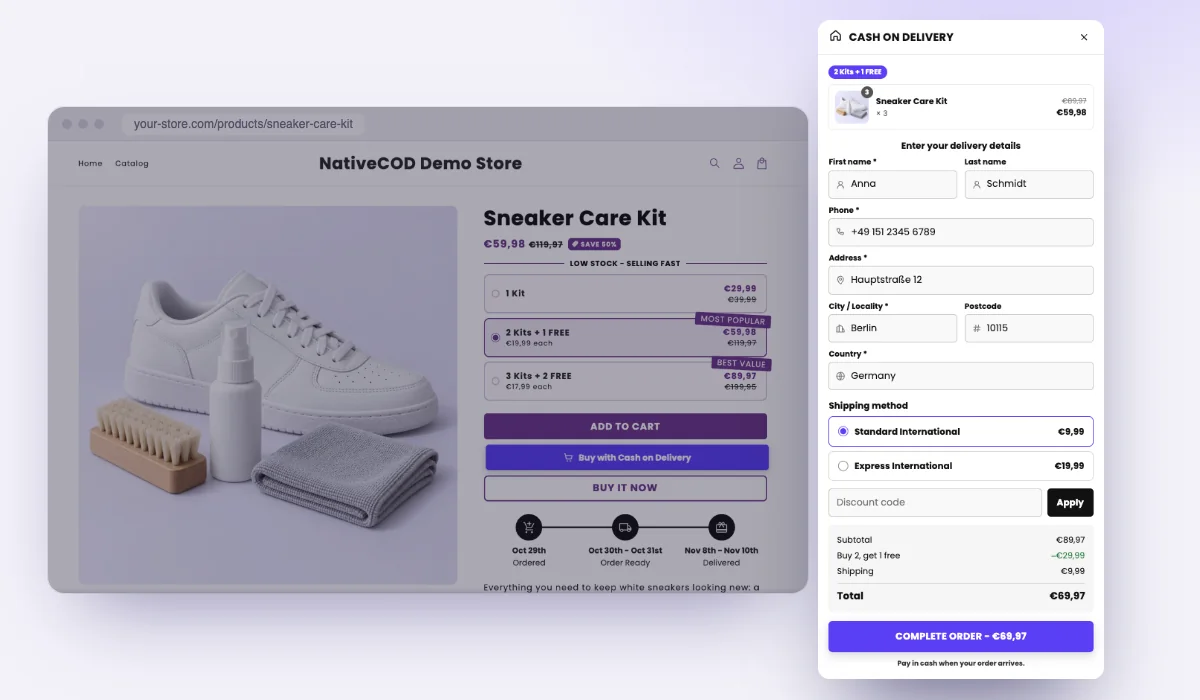
- 6
Fulfill it like any order
The order arrives in Shopify as payment pending, tagged COD, with the exact shipping rate the shopper chose, so your courier and fulfillment apps pick it up like a checkout order.
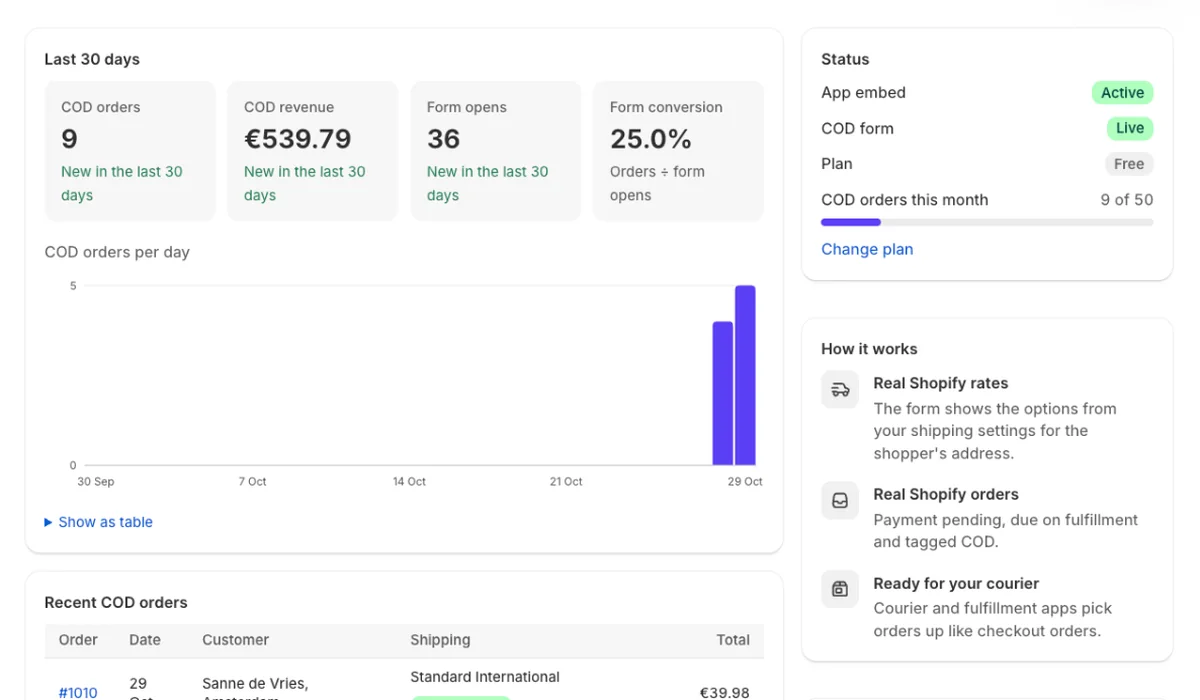
The NativeCOD dashboard counts COD orders, revenue and form conversion. From there, add bundles, fake-order protection and ad pixels when you're ready.
Ready for your first COD order?
Every feature is on every plan, including the free one. The docs explain each setting when you need it.